
In link your have some corresponding URL’s for accessing Link API and transport protocols like AS2, AS4, SOAP etc.
Theese are as follow:
Main Link page:
<Customername>-<Environment>-link.bizbrains.com. E.g. https://contoso-dev-link.bizbrains.com
The main page has a API Url that looks like this:
<Customername>-<Environment>-api-link.bizbrains.com. E.g. https://contoso-dev-api-link.bizbrains.com
And for this there is a list of sub urls:
-
/api/transport/as4 (e.g. https://contoso-dev-api-link.bizbrains.com/api/transport/as4 )
-
Post to this address to send using AS4. If you do a get you will just get the message “Link AS4 endpoint” that confirms the host is running and the firewall is open to you
-
-
/api/transport/as2 (e.g. https://contoso-dev-api-link.bizbrains.com/api/transport/as2 )
-
Post to this address to send using AS2. If you do a get you will just get the message “Link AS2 endpoint” that confirms the host is running and the firewall is open to you
-
-
/api/rest (e.g. https://contoso-dev-api-link.bizbrains.com/api/rest )
-
Main url for API access. Get is not possible only post to correct operation as shown in the swagger
-
-
/api/transport/soap (e.g. https://contoso-dev-api-link.bizbrains.com/api/transport/soap )
-
Legacy SOAP endpoint that makes it possible to do transport of documents to/from Link using SOAP. A get will present the WSDL for the possible SOAP operations.
-
-
/api/swagger (e.g. https://contoso-dev-api-link.bizbrains.com/api/swagger )
-
A Get will present the different services available togetter with operation, sample and schema documentation. OBS you can switch between different services in the dropdown in the upper right corner:

-
-
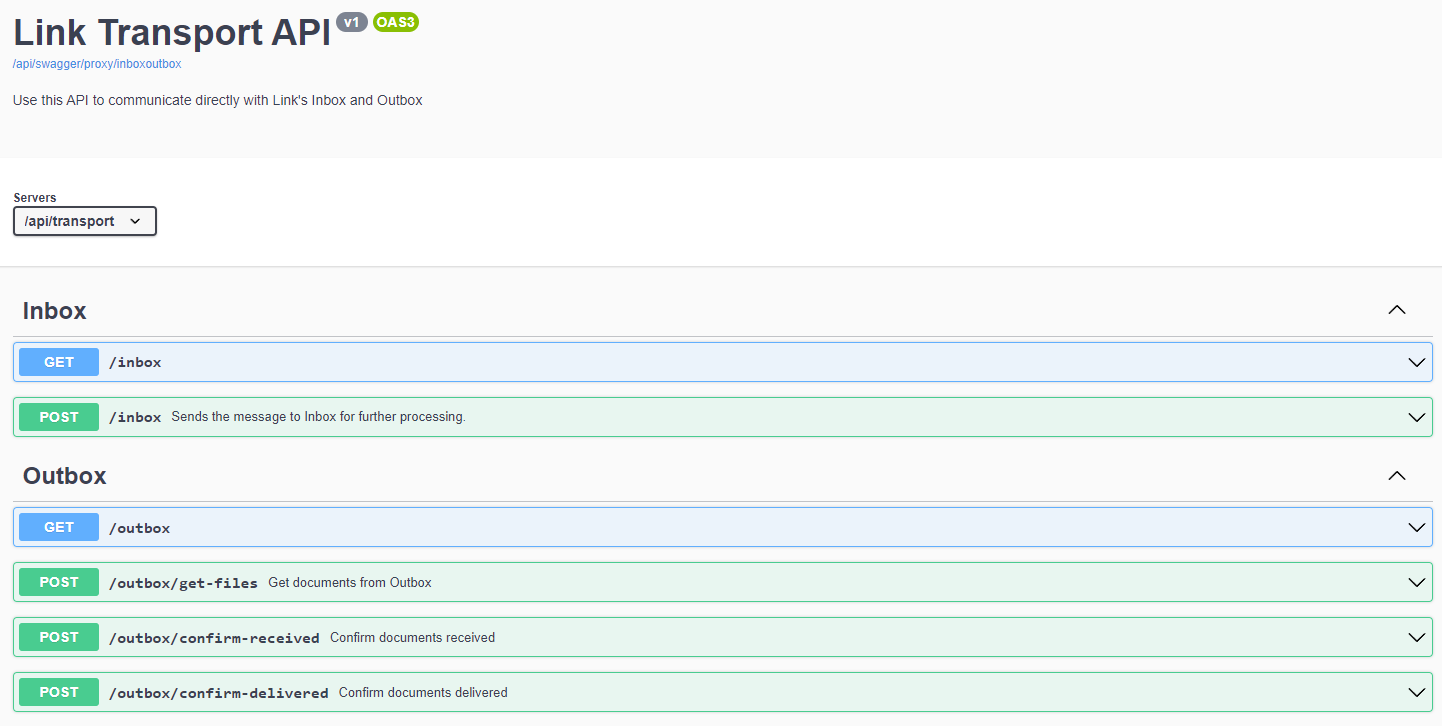
/api/transport/inbox & /api/transport/outbox
-
Communicate using REST for sending documents to Inbox or getting document ready in status Outbox:
-
-
/api/httphandler
-
Custom http listeners configured for partner to submit documents using https. Could also be used for webhooks.
-